Table of Contents
1. Stan's data-crunching scenario
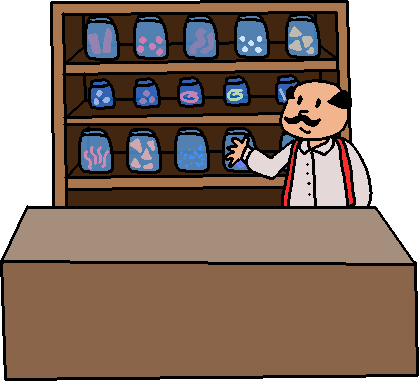
For a moment, let's forget about computers and think about an old timey shop ran by one fella. Let's call this enthusiastic entrepreneur "Stan", and he sells snacks. What kind of data does he have access to, as he sells items to customers?
He probably keeps a log of inventory - how much of each item he's bought. He can see from how much has sold, which items are popular and what he needs to order more of. Perhaps the Butterscotch Bars are very popular so he needs to make sure to order double the stock to keep up with demand.
If it's just ole' Stan here manning the shoppe, perhaps he notices patterns as well - little Sally tends to buy Nickel Candies after school, so whenever he sees her he knows what she's going to order.
Larry the Lad likes buying Cinnamon Firecrackers, but he buys Lemondrop Llamas on Fridays. Good ole' Stan asks Larry the Lad, "So when do you have a hankerin' for these Llamas?" and Larry the Lad tells Stan, "I visit my grand pappy's house on Fridays, and he sure likes them Lemondrops!". With or without that context, Stan can still see the pattern of Larry the Lady purchasing Cinnamon Firecrackers on Monday and Wednesday, and Lemondrop Llamas on Friday.
The longer he runs the shoppe and the more regular customers he gets, he keeps a mental note of the patterns of his customers. And for a small olde timey shoppe like his, this can create good customer service, perhaps he offers a more customized experience than his competitor, Big City Candy Co.
Review 1. What kind of data is Stan tracking? (Select all correct answers)
- □ Customer name
- □ Day of the week
- □ Purchased item(s)
- □ Customer's Grandpappy's name
2. Back to the modern day…
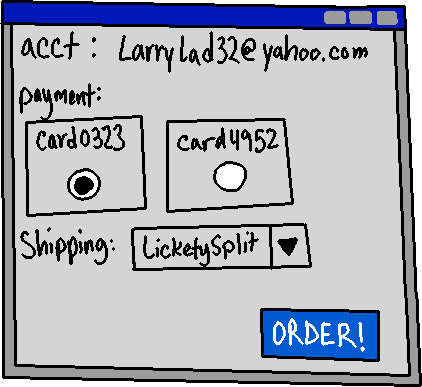
Virtually everything we do on the internet generates data, whether we are actively providing data or not. Merely just browsing websites generates data that companies use to optimize sales or ad revenue. Some pages track where your mouse cursor sits while you visit a page, because people often point their mouse cursor to what they're reading - this data creates a heat map that companies can use to figure out the best layout for their pages to funnel potential customers to where they want them.
Even in-person systems we use are digitized and recording data. When you purchase something with a card at a store, they can keep a record for you as a customer and relate your purchases to that card - even better if you have a "super saver" type membership card as well.
Scrolling through social media? Which ads do you pause over? Maybe you got distracted by your dog, but the data shows potential interest - you spent a few seconds longer looking at this ad over the other ads. (And if you click the ad, then they really have a lead!) And of course your order history can be used to figure out what to market to you and when.
As you carry your phone around with you, location data is often tracked. When you get together with a friend, you might start seeing ads influenced by your friend - you're hanging out, so perhaps their ads will appeal to you.
With the speed of the internet and relatively cheap cost of storage, data is being tracked all the time, and in large quantities. "Big Data", as well as using Machine Learning to do what Good Ole' Stan does, are part of our modern tech landscape.
OK but how does that relate to this class?
Data needs to be stored, and while long-term storage means putting it in some kind of database, receiving data to save, or pulling data to crunch, requires software at some level. We need to be able to store the data in a data structure, and we need to choose the structure that is the most efficient for the goals we have - do we prioritize access speed or insert speed? Do we want a structure that auto-sorts incoming data so we can find records more quickly? What kind of sorting algorithm do we use to sort the unsorted data?
In this class we'll be focusing on common data structures you'll see as a software developer - array-based structures, link-based structures, binary search trees, hash tables, stacks, and queues. We're going to learn how they work, and the efficiency of their functionality. While you probably won't be writing these structures from scratch after this course, knowing how they work helps you make an informed design decision on what is the best tool for the job.
Review 2. In this class, we're learning about how we
- ○ become a pawn of surveillance capitalism
- ○ create pretty UML diagrams
- ○ store and manage data
3. Example: Spotify
We can get some kind of idea of the underlying structure of a system by looking at the API (Application Programming Interface) that it exposes to the outside world. Many modern websites offer APIs in order to allow third parties to create helper programs and services that work with the data stored by the original service.
Looking at the Spotify API documentation (https://developer.spotify.com/documentation/web-api), we can see several main "objects" it provides:
1. Albums       6. Episodes     11. Search
2. Artists      7. Genres       12. Shows
3. Audiobooks   8. Markets      13. Tracks
4. Categories   9. Player       14. Users
5. Chapters     10. Playlists
If you click on one of the objects, it will show an example of requests that an external program can call, such as Get Album, Get Album Tracks, Save Albums for Current User, and so on.
Clicking on a request type will also show a Response Sample, which shows what kind of information may be returned with a call, such as Get Album:
{
  "album_type": "compilation",
  "total_tracks": 9,
  "available_markets": [ "CA", "BR", "IT" ],
  "id": "2up3OPMp9Tb4dAKM2erWXQ",
  "images": [
    {
      "url": "https://i.scdn.co/image/ab676...",
      "height": 300, "width": 300
    }
  ],
  "release_date": "1981-12",
  "type": "album",
  "artists": [
    { "id": "string", "name": "string", }
  ],
  "tracks": {
    "total": 4,
    "href": "https://api.spotify.com/v1/me/shows?offset=0&limit=20",
    "next": "https://api.spotify.com/v1/me/shows?offset=1&limit=1",
    "previous": "https://api.spotify.com/v1/me/shows?offset=1&limit=1"
  },
  "copyrights": [
    { "text": "string", "type": "string" }
  ],
  "genres": [ "Egg punk", "Noise rock" ],
  "popularity": 0
}
The data and the form it's returned in via API response isn't necessarily how the data is stored in the database itself, or how the data is stored in objects when worked on by the Spotify servers themselves. Usually, API systems pulls data from multiple sources and bundles it together to return as a response. But, this can at least give us some idea of how the actual system may be organized.
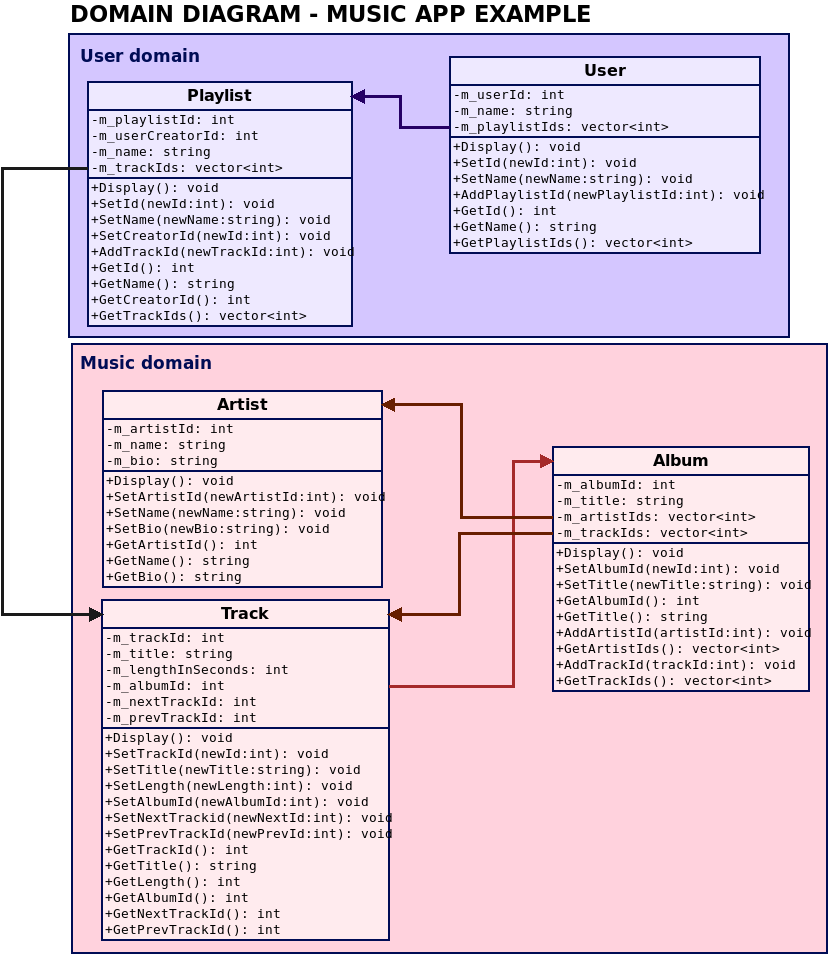
This is just a small example, containing a "Music" section (Artist, Album, Track) and a "User" section (User, Playlist). The arrows show relationships between the objects. But this diagram is also lacking any of the back-end functionality that helps everything actually do something. On their own, it's just data stored somewhere. A program has to be written around it.
Review 3. You can legally get a rough idea of how a business' data is organized by looking through their…
- ○ API documentation
- ○ employee directory, calling someone, and pretending to be with IT and ask for more information
- ○ leaked company data on the dark web
4. Additional APIs
In the Tech Literacy assignment you will brainstorm about data used for specific types of software. You may want to reference the API pages for these common apps for ideas: