Table of Contents
1. Checking your Folder Options in Windows
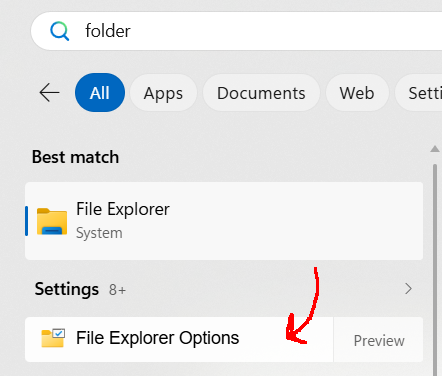
Figure 1: Screenshot of the Windows start menu showing the File Explorer Options.
It will be important to know what file extension each file has this semester. In Windows, it likes to hide the file extensions by default. From the Start Menu, type in “Folder” and look for File Explorer Options.
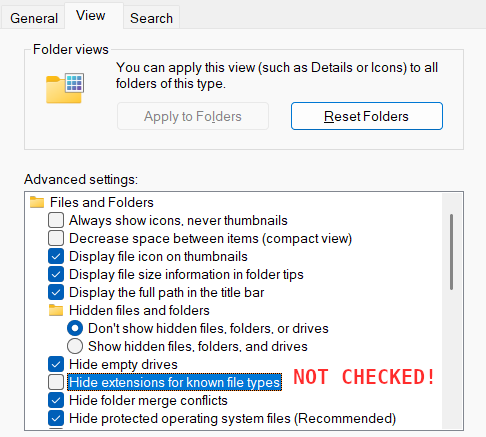
Figure 2: Screenshot of the File Explorer Options, the Hide extensions for known file types button is NOT CHECKED.
From the File Explorer Options, click on the View tab.
Make sure the Hide extensions for known file types checkbox is not checked!
Then click OK to close the options and continue!